
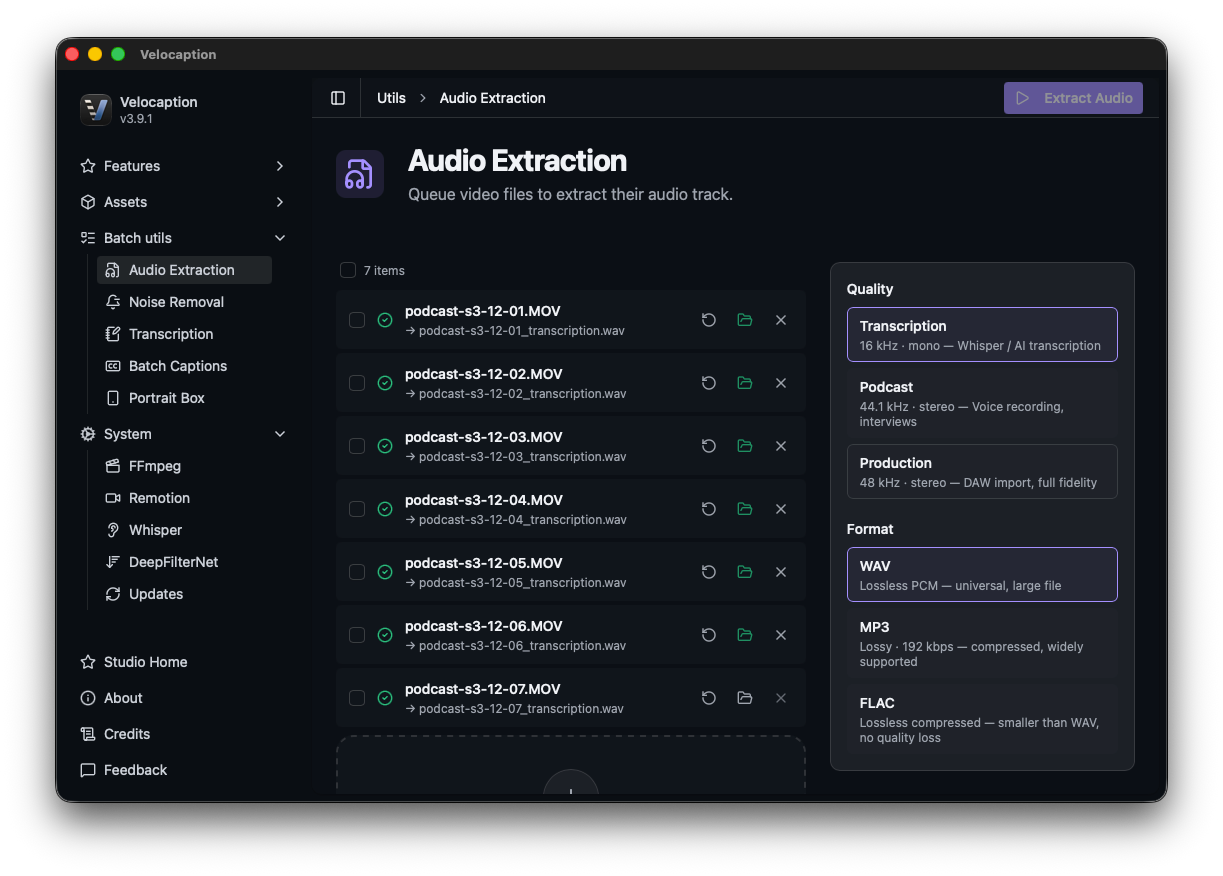
Turn Podcast Recordings Into Finished Video.
Clean pacing, reduce noise, extract audio stems, generate local captions, and export subtitle files from one Mac workflow.
Video podcasts often arrive as long recordings with uneven pacing, room noise, and captions still to create. Traditional workflows split that work across several tools.
Velocaption is a native macOS finishing workflow for local podcast files:
- Local Timeline Loading: Drag a long recording directly into the app instead of waiting for a browser upload.
- Pacing Cleanup: Detect quiet sections, review the waveform, and tighten long pauses.
- Captions and Exports: Generate local captions, review the transcript, and export video or subtitle files.
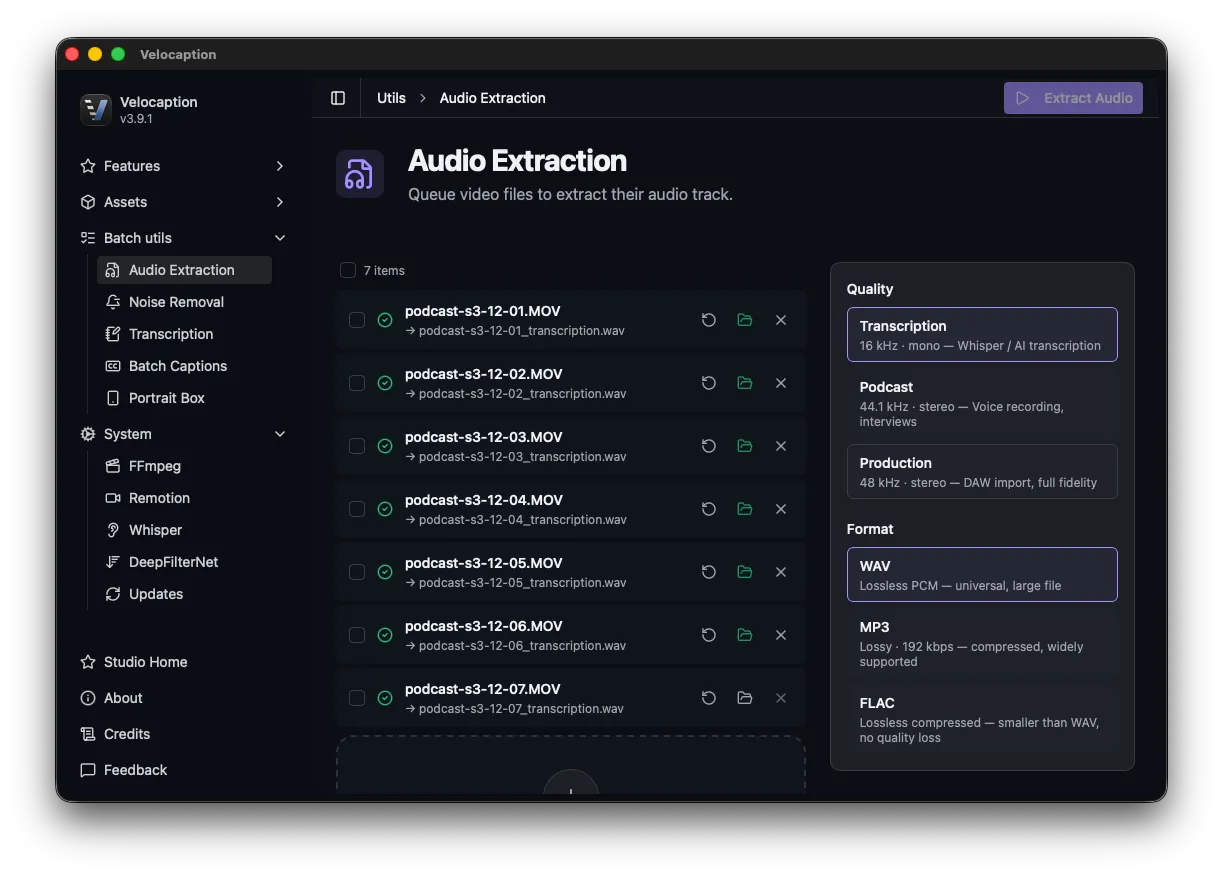 Edit long video podcasts from local files without moving the entire episode through a browser timeline.
Studio-Grade Audio Cleanup
You can’t always control the environment your remote guests record in. Even if your host has a professional broadcast microphone, guests often call in with audio plagued by air conditioner hum, loud keyboard clicks, or hollow room echo.
Instead of routing your audio through a complex, third-party Digital Audio Workstation (DAW), Velocaption allows you to rescue bad guest audio locally:
- DeepFilterNet Integration: Toggle Noise Removal on a clip to reduce background interference.
- Remove Constant Noise: Reduce persistent hums, fan noises, and cable static.
- Tighten Room Acoustics: Reduce room reverb so remote guests sound cleaner before captions and export.
Fix your audio at native Mac speed.
Get Velocaption today. €59/year or €139 lifetime. Backed by a 30-day money-back guarantee.
Automate Pacing and Extract Audio Stems
A great podcast feels like a natural, fast-paced conversation. But raw recordings are full of dead air: hosts searching for their notes, waiting for a remote connection to stabilize, or simply thinking before they speak.
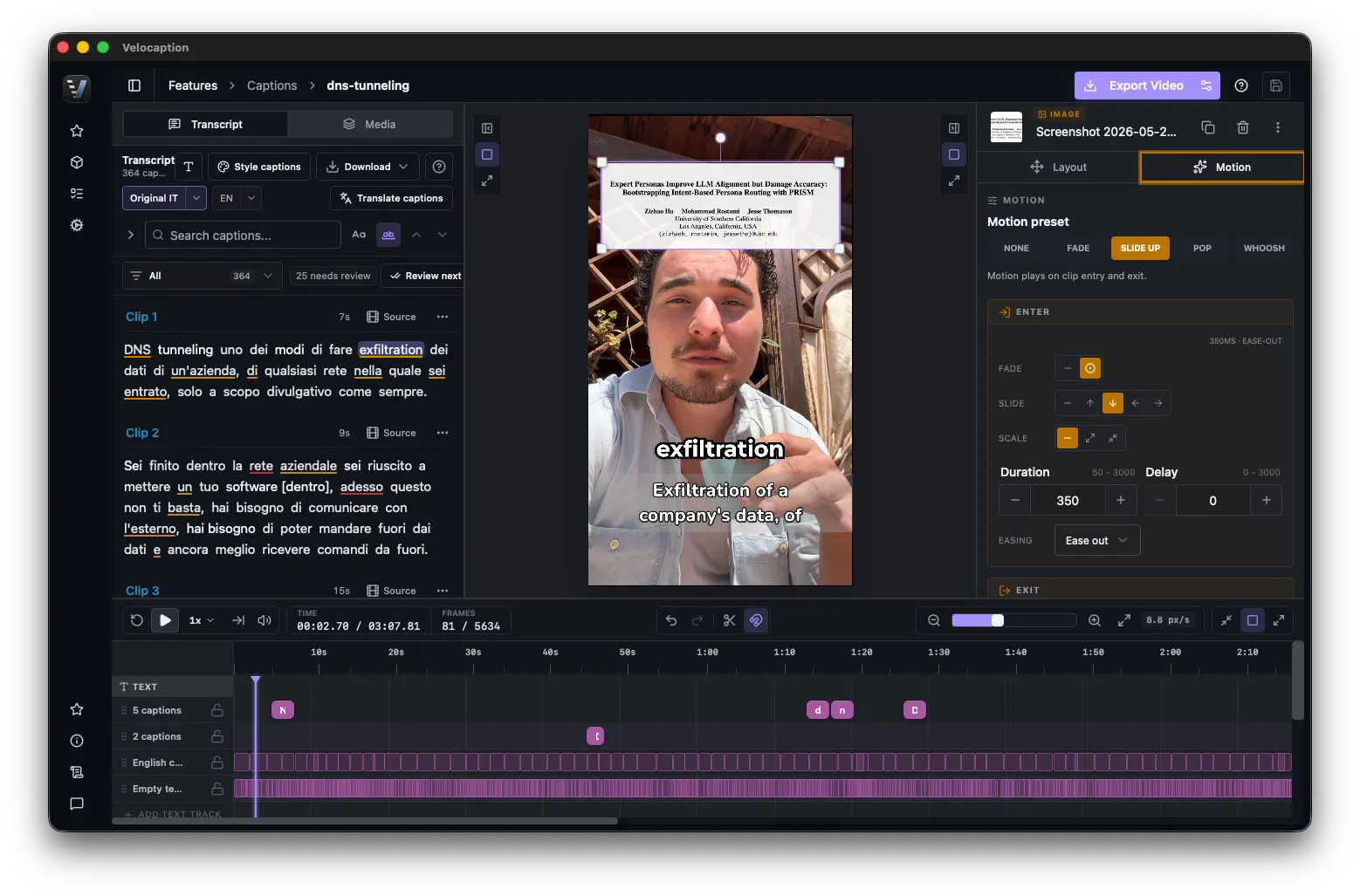
Velocaption automates this tedious editing phase and prepares your files for multi-platform distribution:
- The Auto Silence Remover: Analyze the waveform and remove dead air with adjustable padding so the conversation still feels natural.
- Audio Extraction: Once the video is paced and cleaned, use Audio Extraction to pull a 16kHz WAV stem for podcast distribution, transcription, or archival.
- Generate Subtitles: Hand the finalized video to the Captions Editor to generate, review, and export subtitles for YouTube or social media clips.
Stop Waiting. Start Editing.
Do not let podcast finishing turn into a chain of one-off exports. Clean the audio, tighten the pacing, extract stems, and caption the episode from the same Mac workflow.
Finish podcast videos on your Mac.
€59/year or €139 lifetime. 30-day money-back guarantee.
Frequently Asked Questions
Can Velocaption handle multi-hour 4K podcast files?
Velocaption is a native Mac app designed for local files, so long recordings do not need to be uploaded to a browser timeline before cleanup or captioning.
Can I extract just the audio for Spotify/Apple Podcasts?
Yes. The Audio Extraction utility can pull a 16kHz WAV file from your video for audio-only distribution, transcription, cleanup, or archiving.
Does it clean up bad room audio?
Yes. Velocaption includes DeepFilterNet-powered noise reduction to reduce air conditioner hum, room echo, and background static before transcription or export.
Post faster.
Record, clean up, caption, and export from one native Mac workflow.
Related Use Cases
Local Mac Video Studio for Business Teams
Record, clean, caption, brand, and export internal business videos with Velocaption's local Mac workflow.
Mac Video Studio for Course Creators
Remove silence from talking-head modules, generate local captions, export subtitle files, and keep course production moving on your Mac.