
The Brand Identity & Styling Guide
Create caption and text styles once, reuse them across projects, and finish videos with a preview that matches export.
For B2B teams and agencies, video editing is also brand work. When every internal update or client deliverable uses different fonts, colors, and logo placement, the brand starts to look improvised.
Velocaption simplifies this with a local style and asset library. By using saved caption styles, text overlay presets, reusable backgrounds, and a true WYSIWYG (What You See Is What You Get) engine, you can keep every video consistent without rebuilding the look from scratch.
1. Defining Your Brand Presets
Velocaption allows you to move away from “one-off” configurations. Instead of picking fonts, colors, strokes, shadows, and backgrounds for every new video, you define reusable styles once and apply them inside the Captions Editor:
- Caption Style Presets: Save subtitle treatments with font, color, background, shadow, emphasis, and animation choices so recurring videos start from the same system.
- Text Style Presets: Define title, lower-third, callout, and label styles for text overlays. Once saved, these presets appear in the Captions Editor and can rebrand a project quickly.
- Gradient Library: Corporate backgrounds do not have to be flat. Use the Gradient utility to create or extend brand backgrounds used in layouts and the Portrait Box.
2. The Global Asset Library
Stop hunting through Finder for the same company logo, watermark, lower-third graphic, or intro sound every time you start a new edit. Velocaption features a persistent Global Asset Library that lives on your Mac.
Drag your PNG logos, watermarks, or intro audio files into the library once. They become available across projects. For audio assets, Velocaption can loop tracks to fit your video length and provides fade-in/out controls for a cleaner mix.
Build the style once.
Get Velocaption today. €59/year or €139 lifetime. Backed by a 30-day money-back guarantee.
3. Professional Layouts: Floating Face & Split Screen
Standard talking-head videos can feel static. Velocaption includes Layouts for screen recordings, portrait clips, and speaker overlays:
- Floating Face: Perfect for screen recordings. Your face is cropped into a configurable floating circle or rounded square, placed over a solid or gradient background of your choice.
- Split Screen: Ideal for portrait videos where you need to push the main content to the top of the screen, leaving room for a branded “sheet” below for extra text or graphics.
Both layouts support entering and exiting animations: like fades, slides, and grows: that can be stacked for a cinematic feel.
4. True WYSIWYG: Pixel-Perfect Confidence
The biggest frustration in video editing is the “Export Surprise”: when the final video doesn’t look like the preview. Velocaption uses a True WYSIWYG Engine powered by Remotion.
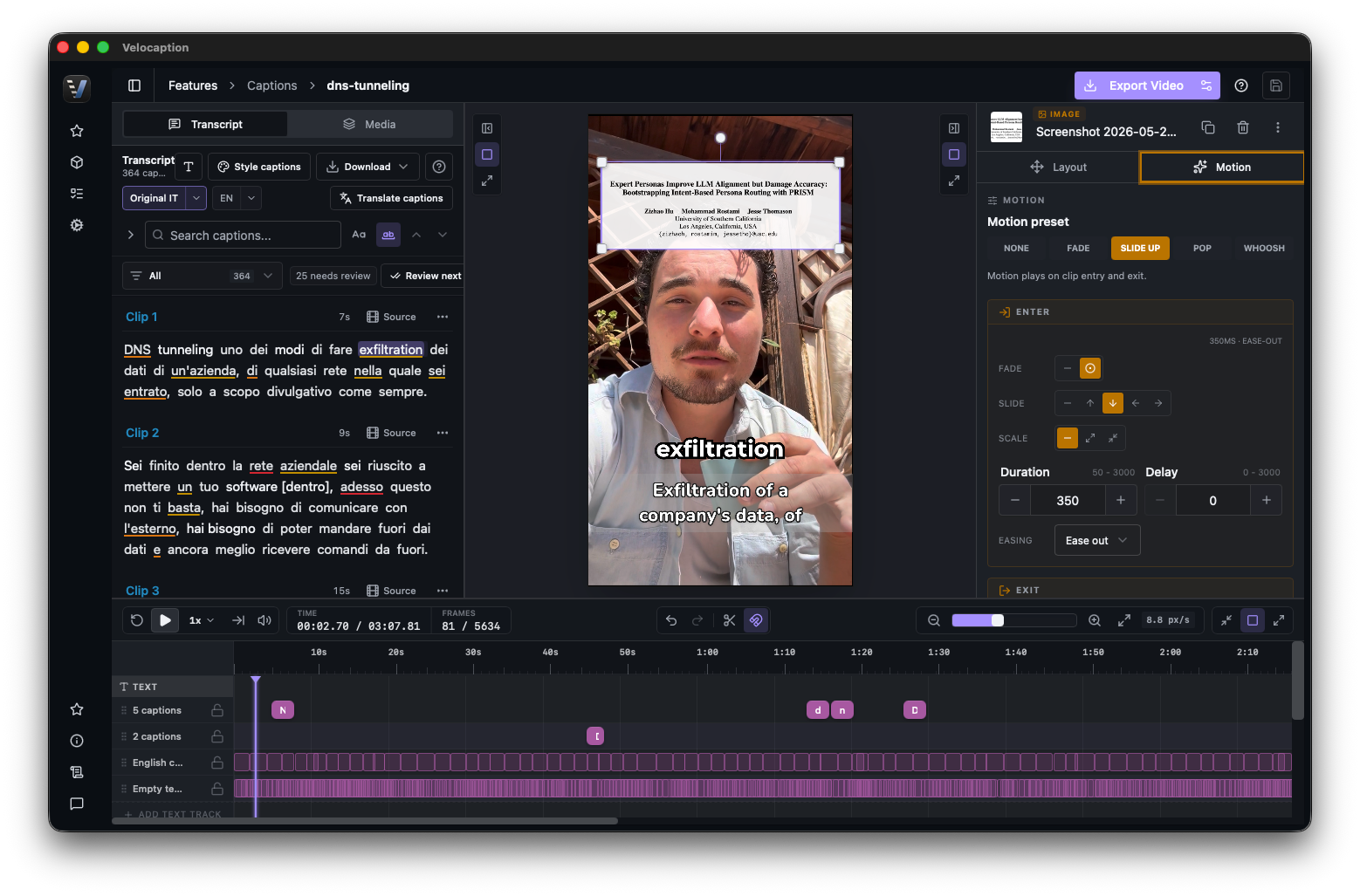
When you drag a caption phrase to a specific location on the preview screen, or rotate a text overlay, you are working in the same composition path used for export. The engine handles smooth interpolation; if you move one phrase, Velocaption calculates the movement from its default position to your custom one.
Ready to standardize your video production?
Stop repeating the same styling decisions. Build the caption, text, overlay, and asset system once, then reuse it across projects.
Build your brand at the speed of Apple Silicon.
Get reusable caption and overlay styling. €59/year or €139 lifetime. 30-day money-back guarantee.