
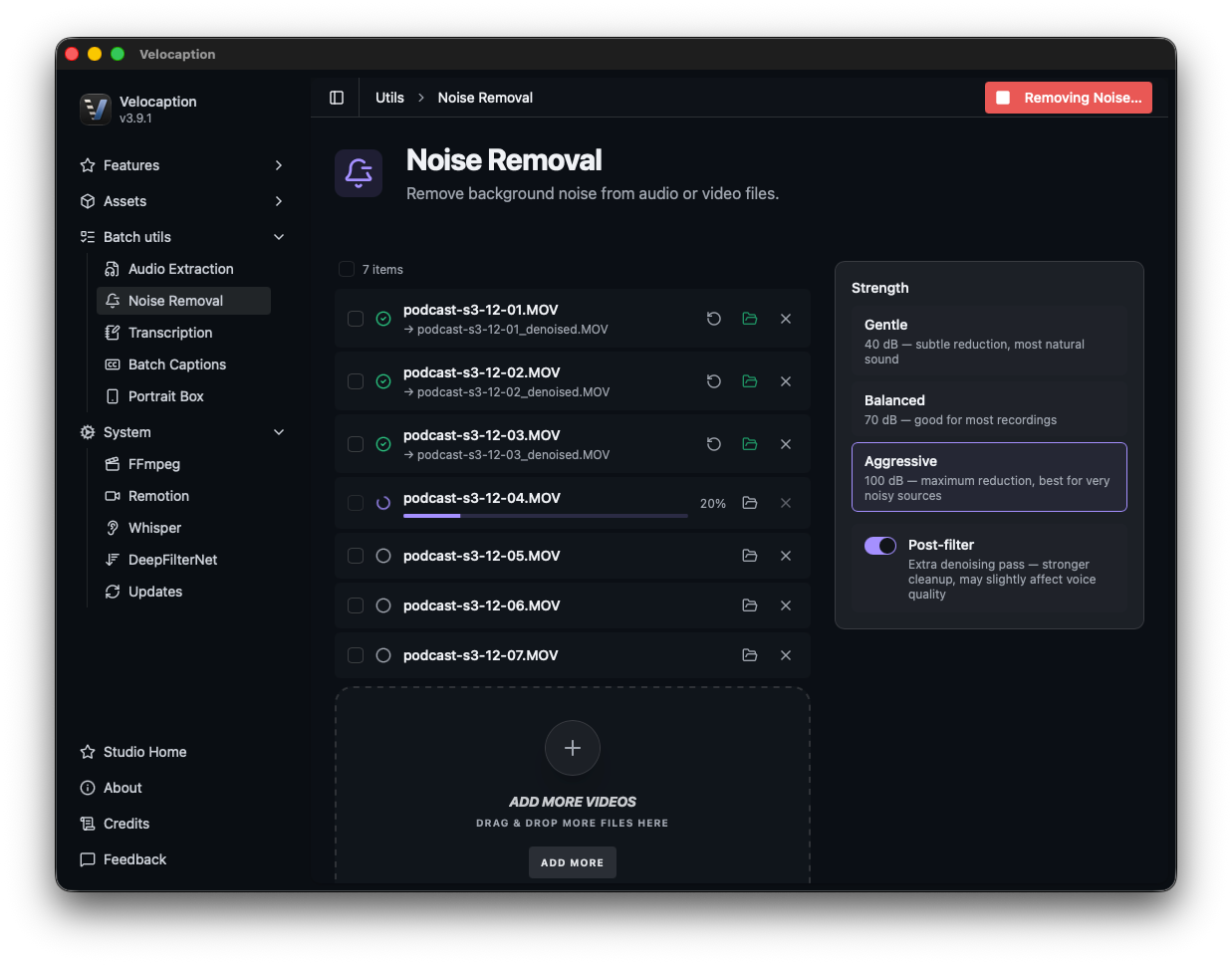
The Background Noise Removal Guide
Professional, studio-grade audio cleanup without the cloud. Learn how to use the DeepFilterNet-powered utility to rescue your recordings locally.
Good video can still feel rough when the audio is noisy. Fan hum, keyboard clicks, and room echo all make captions harder to review and the final export harder to listen to.
Traditionally, fixing audio meant either opening a dedicated audio editor or uploading the file to a web enhancement service. Velocaption keeps cleanup inside the Mac workflow so you can improve speech before transcription or export.
1. Powered by DeepFilterNet
At the heart of the noise removal utility is DeepFilterNet, a model trained to separate human speech from unwanted background interference.
Unlike simple noise gates that can make a voice sound clipped or robotic, DeepFilterNet identifies speech patterns and reduces the surrounding noise floor. The result is cleaner source audio for captions, silence cleanup, and finished exports.
2. The One-Switch Solution
We designed the Background Noise Removal utility to be accessible for non-technical users. You don’t need to be an audio engineer to understand complex EQ curves or compression ratios.
To clean your audio, simply drag your video file into the utility. Toggle the Noise Removal switch, and the engine immediately begins analyzing the audio spectrum. It targets:
- Constant Interference: AC hum, fan noise, and bad cable static.
- Transient Noises: Keyboard typing, mouse clicks, and distant traffic.
- Room Reverb: It “tightens” the audio in echoey rooms, making it sound like you recorded in a treated studio.
Rescue your audio before export.
Get Velocaption today. €59/year or €139 lifetime. Backed by a 30-day money-back guarantee.
3. Real-Time Comparison (Preview Before You Save)
Confidence is key when processing professional assets. Before you finalize the export, Velocaption allows you to toggle between the Original and Cleaned audio tracks within the preview player.
This side-by-side comparison helps you confirm that the speaker still sounds natural while the interference is reduced. Once you are satisfied with the result, you can export the clean version.
4. Integrated with Your Finishing Workflow
The Noise Removal utility can stand alone, but it also fits into the rest of Velocaption.
Once your audio is clean, use the “Open in…” menu to send the rescued file to the Silence Remover to tighten the pacing, or the Captions Editor to generate and review captions. Handling noise first gives Whisper cleaner source material.
Ready for crystal-clear corporate audio?
Clean the source audio before it affects transcription, pacing, or final playback.
Clean your audio at the speed of Apple Silicon.
Get the professional noise removal utility. €59/year or €139 lifetime. 30-day money-back guarantee.