
The Audio Extraction Guide
Turn a video into a reusable audio stem for transcription, cleanup, archiving, or a larger editing workflow.
In a professional B2B environment, the audio hidden inside your video files is often just as valuable as the footage itself. Whether you need a clean audio track for a secondary transcription service, a podcast edit, or a lightweight archive of a 3-hour board meeting, you shouldn’t have to wait for cloud uploads to get it.
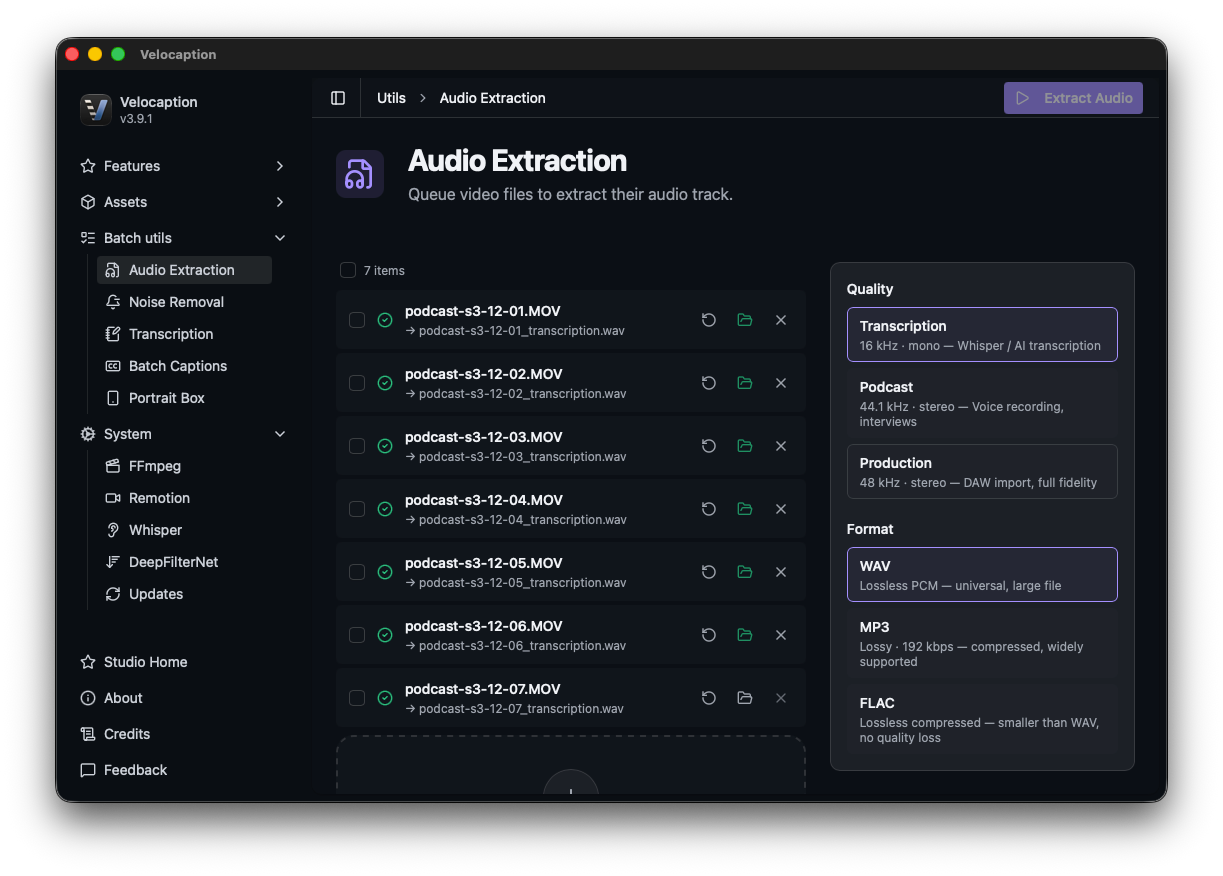
Velocaption’s Audio Extraction utility is a local tool designed to pull audio from video formats your Mac supports and keep that asset ready for transcription, cleanup, archiving, or reuse.
1. Professional Grade 16kHz WAV Output
Velocaption is designed for clarity and compatibility. Our extraction utility currently focuses on generating 16kHz WAV files. This specific sample rate is the industry standard for high-accuracy AI transcription models and voice analysis tools.
By extracting to a lossless WAV format locally, you avoid adding compression before transcription, cleanup, or archiving.
2. Keep Extraction in the Local Workflow
The biggest drag in audio management is moving a large video through a separate web converter just to get a usable audio file.
With Velocaption, extraction stays inside the same Mac workflow as silence cleanup, captions, and export.
Your audio assets stay on your Mac.
Get Velocaption today. €59/year or €139 lifetime. Backed by a 30-day money-back guarantee.
3. Useful for Batch Preparation
Audio extraction fits naturally with batch preparation. When you need transcript-ready or archive-ready audio files, extract the stems first and keep them organized alongside the source videos.
4. Part of the 2-Step Finishing Workflow
Audio extraction is usually a setup step. Once you have a clean WAV file, send it to the Captions Editor or keep it with the source video for later work.
By using a clean extracted audio stem, you give Whisper clearer source material for captions and transcript review.
Ready to extract audio at the speed of your Mac?
Stop sending large videos through a converter just to get the audio. Extract the stem and keep moving through cleanup, captions, or export.
Extract unlimited audio for one flat price.
Get the professional audio extraction utility. €59/year or €139 lifetime. 30-day money-back guarantee.