
The Brand Consistency Guide
Set up reusable assets and saved presets so captions, overlays, and exports stay consistent across projects.
In a professional environment, “speed” is useless if it comes at the cost of brand integrity. For B2B teams and agencies, the real bottleneck isn’t the edit: it’s the constant hunt for the correct logo version, the specific hex code, or the approved background music.
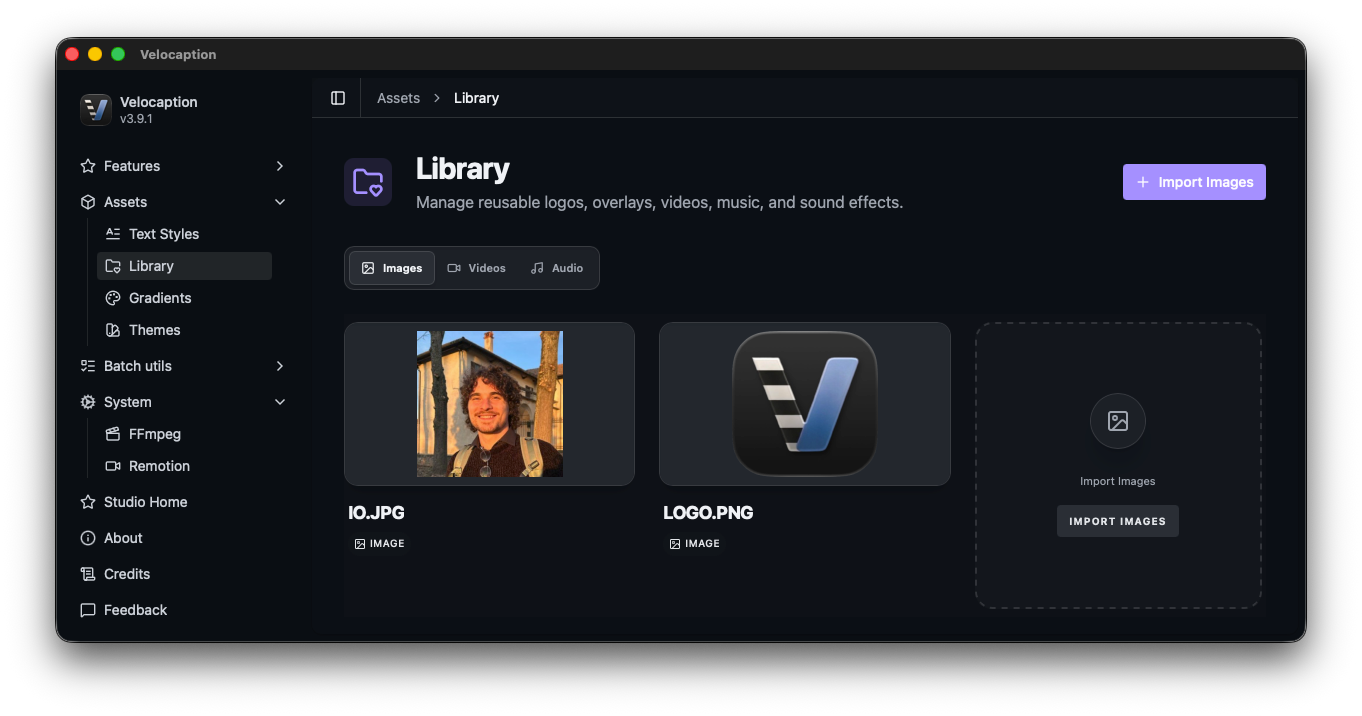
Velocaption reduces that setup work with a Global Asset Library. Define the recurring pieces once, then reuse them across projects.
1. The Global Asset Library (Images & Audio)
Stop dragging the same watermark into your timeline for every new clip. The Asset Library is your persistent, local vault for high-frequency media.
- Image Assets: Import your PNG, JPG, and WEBP logos or watermarks once. They are saved in the library, allowing you to drag them onto the preview screen whenever a project needs the same visual treatment.
- Audio Assets: Drag and drop your company’s intro stings, background music, or jingles. When you add a library audio track to your timeline, you can loop it, trim it, and set fade-in or fade-out controls.
2. Typography & Text-Style Presets
Consistency in typography is the hallmark of professional video. In the assets/text-styles utility, you can build a library of “Typography Blueprints.”
You aren’t just picking a font; you are defining a complete visual system. A preset stores:
- Primary & Highlight Colors: Your exact brand hex codes for static and animated text.
- Backgrounds: Choose between word-level animated boxes, full-width bands, or rounded containers.
- Hierarchy: Set default X/Y positioning, max font sizes, and line-width constraints.
Once saved, these presets appear in a simple dropdown in the Captions Editor. Select a preset and the video’s typography, including word-level animation choices, updates to match that system.
Stop configuring, start creating.
Build your brand identity once and reuse it across every project. €59/year or €139 lifetime.
3. Custom Gradient Presets
Gradients are the visual foundation of our advanced Layouts and the Portrait Box. In the assets/gradients section, you can create a suite of backgrounds for talking-head videos.
Instead of a flat, boring background, you can define sophisticated multi-color sweeps that reflect your company’s aesthetic. These gradients are then accessible whenever you use the Floating Face layout or need to fill the “gutters” of a vertical video conversion.
4. Multi-Layer Overlays & Animations
Velocaption’s timeline supports multiple track types. Captions can sit alongside text, image, audio, and video overlays.
- Text & Image Overlays: Every overlay can be positioned with pixel-exact precision using our True WYSIWYG engine. Need to rotate a caption, adjust opacity, or scale a logo? Just drag it in the preview.
- Dynamic Animations: Every layer supports entrance and exit animations (Fade, Slide, Grow, or Shrink) that can be combined for a cinematic effect. Whether it’s a lower-third or a call-to-action, you control how your brand enters the frame.
Ready to scale your brand identity?
Own your assets, standardize your look, and keep the same visual system available across captioned videos, overlays, and portrait exports.
Standardize your brand today.
Get the local asset hub. €59/year or €139 lifetime. 30-day money-back guarantee.