
Securing Velocaption's Offline-First License System
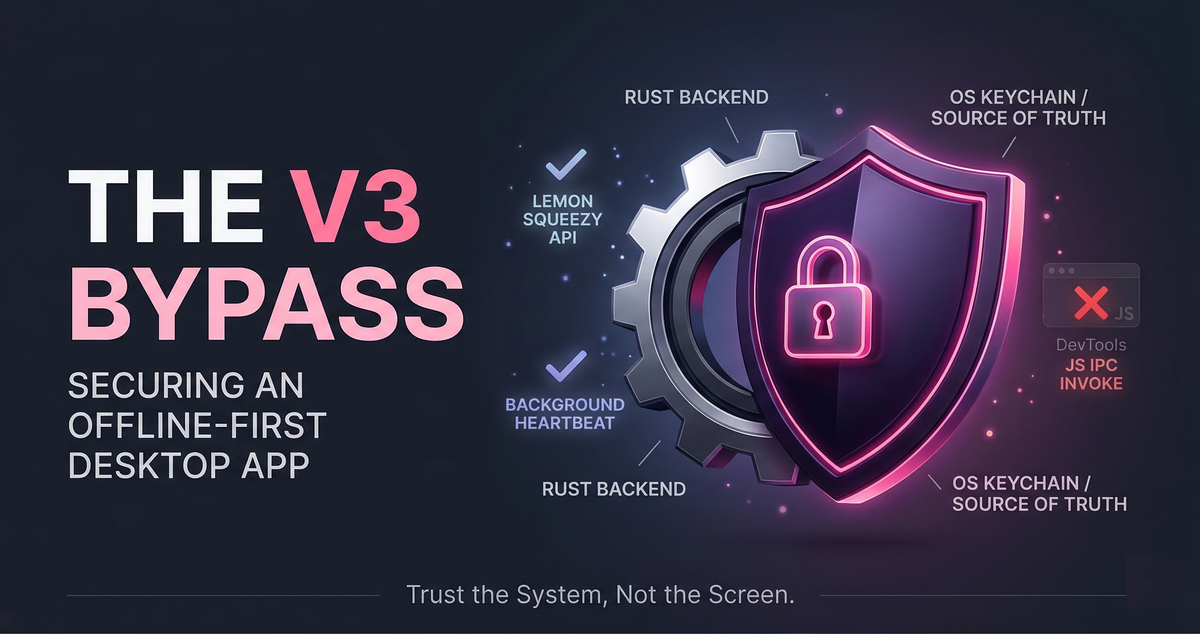
The V3 Bypass: How I Secured Velocaption’s Offline-First License System
Velocaption is a local video editor with an offline-first license system, allowing use without a constant server connection.
During a pre-launch audit for V3, I found a vulnerability: users could bypass license enforcement using the app’s built-in Developer Tools. This post outlines the bypass, the frontend’s security failures, and the rebuilt license lifecycle.
The V3 Scare: Discovering the IPC Bypass
Velocaption is built with Tauri, meaning the frontend is a web view communicating with a Rust backend via Inter-Process Communication (IPC).
In the pre-V3 architecture, the frontend managed the application’s lock state. This exposed an attack surface through DevTools.
Because Tauri exposes commands via IPC, a user could open DevTools and trigger state changes or call backend commands like invoke("download_and_install_command") after license revocation. Hiding the LicenseModal via CSS or JavaScript granted full access to the application.
The Lesson: Frontend JavaScript logic is inherently manipulable and cannot act as a security barrier.
The Fix: Moving the Source of Truth to the OS
I removed licensing authority from the frontend, integrated Lemon Squeezy as the licensing backend, and established the macOS Keychain as the local source of truth.
Any operation requiring a license now checks the keychain directly within the Rust process. This prevents JavaScript spoofing.
The updated lifecycle operates as follows.
The License Lifecycle (How it Works Now)
The system is offline-first. Network access is required only for initial activation, background heartbeat validation, and downloading assets.
1. Activation (The Only Blocking Network Call)
When a user enters a key, the app posts to the Lemon Squeezy API (/v1/licenses/activate). Upon success, Rust saves a LicenseData object to the macOS Keychain containing the raw license key, the Lemon Squeezy instance ID, and an ISO-8601 validation timestamp.
2. App Startup & The Background Heartbeat
On launch, Rust checks the macOS Keychain. If a valid entry exists, the UI is synchronously unlocked. This local check lets the application boot without an internet connection.
Once unlocked, Rust spawns a detached, asynchronous task to validate the license against Lemon Squeezy (/v1/licenses/validate) without blocking the user.
- If Offline/Network Error: The error is ignored; the application remains unlocked.
- If Invalid/Revoked: Rust deletes the keychain entry and emits a
LICENSE_REVOKEDevent to the frontend, which renders theLicenseModalover the entire application, locking the interface.
Securing the Final Loop: Update Gating
To stop revoked users from downloading updates via direct IPC calls, I added backend checks.
I secured tauri_plugin_updater by gating its entry points (check_for_updates_command and download_and_install_command) behind a Rust function: has_valid_license_key().
if !has_valid_license_key() {
    return Err("A valid license is required to install updates.");
}
If invoke("download_and_install_command") fires from DevTools while the license modal is active, Rust checks the OS keychain. Finding it empty, it returns an error to the frontend, blocking the bypass.
What about manual tampering?
A user could manually create a fake keychain entry to pass the has_valid_license_key() check for a single session. The subsequent background heartbeat will then check the Lemon Squeezy API, identify the fake key, and clear the keychain.
The Takeaway: Trust the System, Not the Screen
The frontend cannot guarantee application security. Relying on JavaScript state, hidden UI modals, or frontend routing permits bypasses.
Shifting the source of truth to the macOS Keychain and enforcing it in Rust eliminates the DevTools vulnerability while preserving offline functionality.
Applications must tolerate network instability without exposing update endpoints to exploitation.
Verify licenses at the system level.
Keep the edit on your Mac.
Choose a license to record, clean, caption, and export without moving private footage into a browser editor.