
Procedural Audio in the Browser with Web Audio
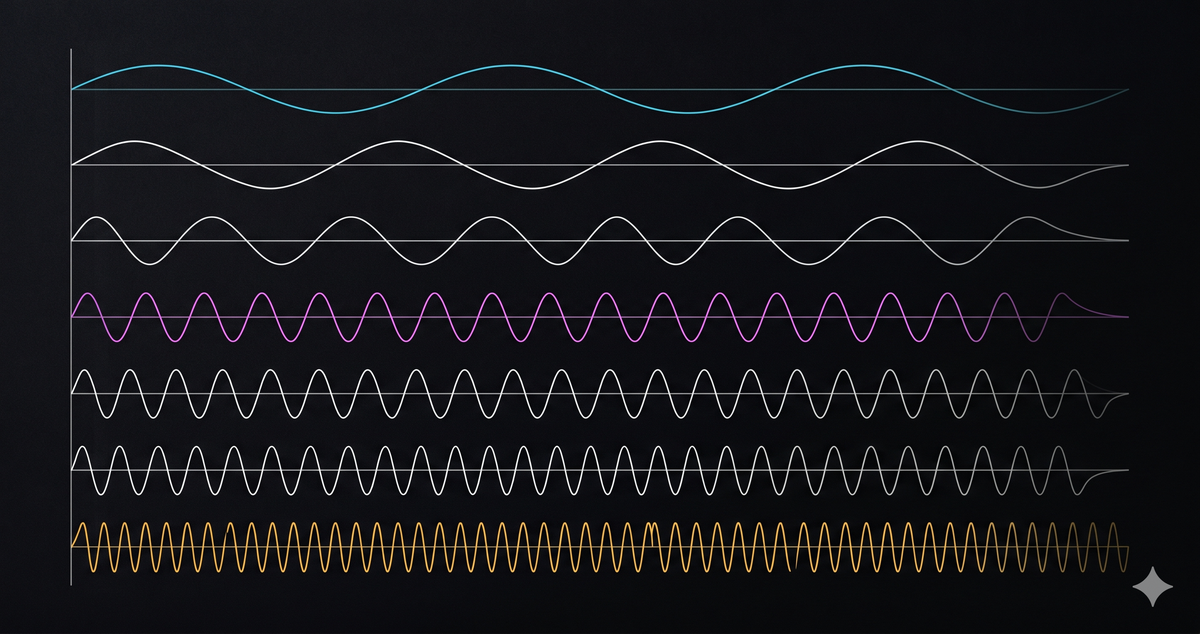
Procedural Audio in the Browser
Five distinct notification sounds. That’s what Velocaption needed: record-start, record-stop, pause, resume, and a “your microphone just disappeared, we’re saving what we’ve got” warning the user could hear from another window during a long take.
The license-cleared sample libraries all wanted royalties or attribution. macOS system sounds (the obvious shortcut, since the app runs on Mac) are not redistribution-safe. The cross-platform packagers wanted a different file format for each OS.
So we shipped zero audio files. The whole palette is procedurally generated by OscillatorNode plus a gain envelope, in about 200 lines of TypeScript. Same behavior on every platform, weighs nothing, no copyright surface, total parametric control. We can re-tune the entire palette by editing one constant.
The Web Audio API has a reputation for being intimidating. That reputation is wrong. The whole API is a graph of nodes with three primitives doing most of the work. Here’s the tour, with a working widget at every step.
TL;DR: A browser AudioContext, an OscillatorNode, and a GainNode are enough to ship a complete notification-cue palette. Skip the bundled MP3s. The patterns below are the actual production code shipping inside Velocaption.
The Audio Graph
Web Audio is a graph. Source nodes (oscillators, audio buffers) connect to processing nodes (gain, filters, delay) that connect to a destination (your speakers). The graph runs on its own thread at audio rate, decoupled from your main JavaScript loop.
The smallest possible Web Audio program is a source connected straight to the destination.
const ctx = new AudioContext();
const osc = ctx.createOscillator();
osc.type = "sine";
osc.frequency.value = 432;
osc.connect(ctx.destination);
osc.start();
osc.stop(ctx.currentTime + 0.2);
Six lines, one beep. Every more elaborate Web Audio program is this same pattern with more nodes wedged between osc and ctx.destination.
The Suspended-Context Dance
Hit Play on the widget above and the beep fires. Now consider what would happen if your code called osc.start() before the user clicked anything: nothing.
Browsers boot every AudioContext in the suspended state. The audio thread exists, the graph is wired, but no samples reach the speakers until a user gesture (click, keydown, touchend) calls ctx.resume(). This is the autoplay policy, and it is universal across Chrome, Firefox, Safari, and Edge.
Watch the state machine in motion.
Step 1: state is suspended. Step 2 promotes it to running. Step 3 ends it.
The lazy-init pattern is the cleanest way to handle this. Create the context the first time you actually need it (inside a click handler), and check the state every time you fetch it.
let ctx: AudioContext | null = null;

function getCtx(): AudioContext {
  if (!ctx) ctx = new AudioContext();
  if (ctx.state === "suspended") void ctx.resume();
  return ctx;
}
Two iOS-specific gotchas worth flagging. First, Safari requires resume() to fire in the same synchronous tick as the user gesture. Wrap it in setTimeout or await something else first and Safari treats the gesture as lost. Second, after a long tab suspend, currentTime can jump forward by minutes when the tab wakes; clamp scheduled times to Math.max(scheduled, ctx.currentTime + 0.01) if you cache them.
Click-Free Envelopes
Connect an oscillator straight to the destination and call start() and stop(), and you get an audible click at both ends. This is the single biggest “why does my Web Audio code sound broken” problem.
The cause is straightforward. Without a gain node, amplitude jumps from 0 to 1 the instant the oscillator starts, and back to 0 when it stops. Instantaneous amplitude changes contain broadband noise. Your ear hears that noise as a click.
The fix is a GainNode with a 5 millisecond linear ramp at the start and end. Compare them.
gain envelope shape over time
const gain = ctx.createGain();
const t = ctx.currentTime;
gain.gain.setValueAtTime(0, t);
gain.gain.linearRampToValueAtTime(0.2, t + 0.005);
gain.gain.setValueAtTime(0.2, t + duration - 0.005);
gain.gain.linearRampToValueAtTime(0, t + duration);
Five milliseconds is short enough that nobody notices a delay, long enough that the ear stops hearing a click. The same pattern works in reverse for the release. Every beep in the Velocaption palette uses this exact envelope.
The setValueAtTime calls are not redundant. Without them, linearRampToValueAtTime ramps from whatever the gain’s last scheduled value was, which is unpredictable across multiple invocations. Anchor it explicitly at the start of every envelope.
Oscillator Timbres
osc.type is the cheapest way to change how a beep sounds. Sine is one frequency, no harmonics. Square, sawtooth, and triangle add increasingly rich harmonic content above the fundamental.
const osc = ctx.createOscillator();
osc.type = "square";
osc.frequency.value = 432;
For notification cues, sine and triangle work best. Square and sawtooth read as harsh in short transients and tend to wash out the gain envelope’s shape. The Velocaption palette uses sine throughout for consistency. Save the harsher waveforms for sustained content like an instrument, where the harmonic content is the point.
A side note worth its own post: the rich timbres of square and sawtooth are exactly what you would build by stacking a fundamental sine with its harmonics at descending amplitudes. That is additive synthesis, and there is a live widget for it on the didof.dev phase-shift attack post that lets you tune harmonics in real time and watch the timbre rebuild.
Parameter Automation
Every AudioParam (gain, frequency, detune, delay time) supports the same scheduling API as the gain envelope you just saw. setValueAtTime snaps a value at a moment. linearRampToValueAtTime interpolates linearly from the previous scheduled value to a target. exponentialRampToValueAtTime does the same but follows an exponential curve, which sounds more natural for pitch and amplitude.
The classic UFO swoop is one line.
osc.frequency.setValueAtTime(216, t);
osc.frequency.linearRampToValueAtTime(864, t + 1.0);
Two scheduling calls. One ramp. The browser handles the per-sample interpolation on the audio thread.
A trap to be aware of: do not assign osc.frequency.value = X while a ramp is in progress. The direct assignment cancels scheduled values silently in some browsers and not in others. Always use the scheduling API once you have started using it on a parameter.
The Velocaption Beep Palette
Here is what all of the above looks like in production. Seven distinct cues, picked so the user can tell them apart from across the room.
A few decisions worth pulling out:
The palette is built on a 432 Hz reference. A4 is 432 Hz, the perfect fifth above is 648 Hz, the octave is 864 Hz. Every cue uses one or two of those three notes, plus a single derived tick at 510 Hz for the pause click and 589 Hz for the countdown. Re-tuning the entire palette is a one-line change.
Confirm-style cues (record-start, record-stop, resume) use ascending or single-tone shapes. Warning cues (device-lost) use descending shapes and slightly higher volume (0.22 vs 0.16-0.18 for the others). The contour encodes intent. A user does not need to remember which beep means what; they read the rhythm and direction.
function exportSuccess() {
  scheduleSequence([
    { frequency: 432, duration: 0.10, gap: 0.02 },
    { frequency: 648, duration: 0.10, gap: 0.02 },
    { frequency: 864, duration: 0.18 },
  ]);
}
scheduleSequence is a thin helper around the same scheduleBeep primitive used everywhere else. It chains beeps back-to-back using ctx.currentTime as the running cursor, plus an optional gap. Total implementation: about ten lines.
Where the Math Posts Pick Up
Two concepts in this tour deserve their own deep dives, and rather than duplicate them here I will point at the math posts on the didof.dev engineering blog where they already live.
Additive synthesis. Building a square wave from sines, hearing harmonics combine into a complex timbre, watching the spectrum rebuild as you tune the harmonic stack: all live in The Phase Shift Attack post under the Fourier widget. The same OscillatorNode + GainNode primitives this post teaches drive that demo.
Phase cancellation. Two oscillators at the same frequency, one delayed by half a cycle, cancelling each other into silence: same physics that noise-cancelling headphones use, same physics that defeats Google’s SynthID watermark. The phase-shift widget on that same post lets you drag the cancellation in and out in real time. The implementation is a DelayNode with delayTime = (shift / 360) × (1 / freq).
If you want to build either, the snippets you have already seen are 80% of what you need. Add an oscillator-per-harmonic loop for additive, add a DelayNode for cancellation, and the rest is UI.
Pitfalls and Cleanup
Six things to know before shipping this in a real app.
- Singleton your AudioContext. Every
new AudioContext()allocates an audio thread. Some browsers will let you spawn unlimited contexts; others cap you at six. Re-create lazily on first use, never per beep. - Close on unmount. Long-lived single-page apps that mount and unmount audio components should call
ctx.close()when the last consumer goes away. Closed contexts cannot be reused; create a fresh one if a new consumer mounts. - iOS Safari’s gesture rule is strict.
resume()must run in the same synchronous tick as the click handler. Defer it throughawaitand Safari refuses. stop()is one-shot. A stopped oscillator cannot be restarted. CallcreateOscillator()for every beep. The cost is negligible; the alternative is silent failures.- Test cleanup matters. A closed context shared across tests fails silently. The Velocaption code exposes a
_resetForTestshelper that nulls out the singleton between runs. - Audio worklets are the next layer. Anything more elaborate than scheduled parameters (custom DSP, real-time analysis, sub-millisecond timing) wants
AudioWorklet. The graph stays the same; the processing nodes get smarter.
What This Replaces
Bundled MP3s, audio-format conversion in your build pipeline, license attributions in your About dialog, “what’s playing” debugging across operating systems. All of it.
Velocaption ships every recording cue from the file you just played through. There are no audio assets in the build output. Re-tuning the entire palette is one constant. Adding a new cue is six lines. The whole audio system loads in zero kilobytes because the only audio code in the bundle is the one that generates samples on demand.
If you have ever wanted a notification sound, a metronome, a small in-browser instrument, or a working understanding of the Web Audio API, the same primitives cover all of it. Start with OscillatorNode, GainNode, and a 5 ms linear ramp. The rest is graph topology.
Keep the edit on your Mac.
Choose a license to record, clean, caption, and export without moving private footage into a browser editor.